
AI Setup
Configure AI providers, models, summary defaults, transcript languages, and Whisper settings.
Start in Settings > AI
This page is where you decide how Youwee should use AI across the app. It controls the provider, model, summary defaults, transcript language priority, and Whisper transcription fallback.
In practice, this means the choices you make here affect AI Summary first, and also influence subtitle translation, transcription, and other AI-assisted flows later.
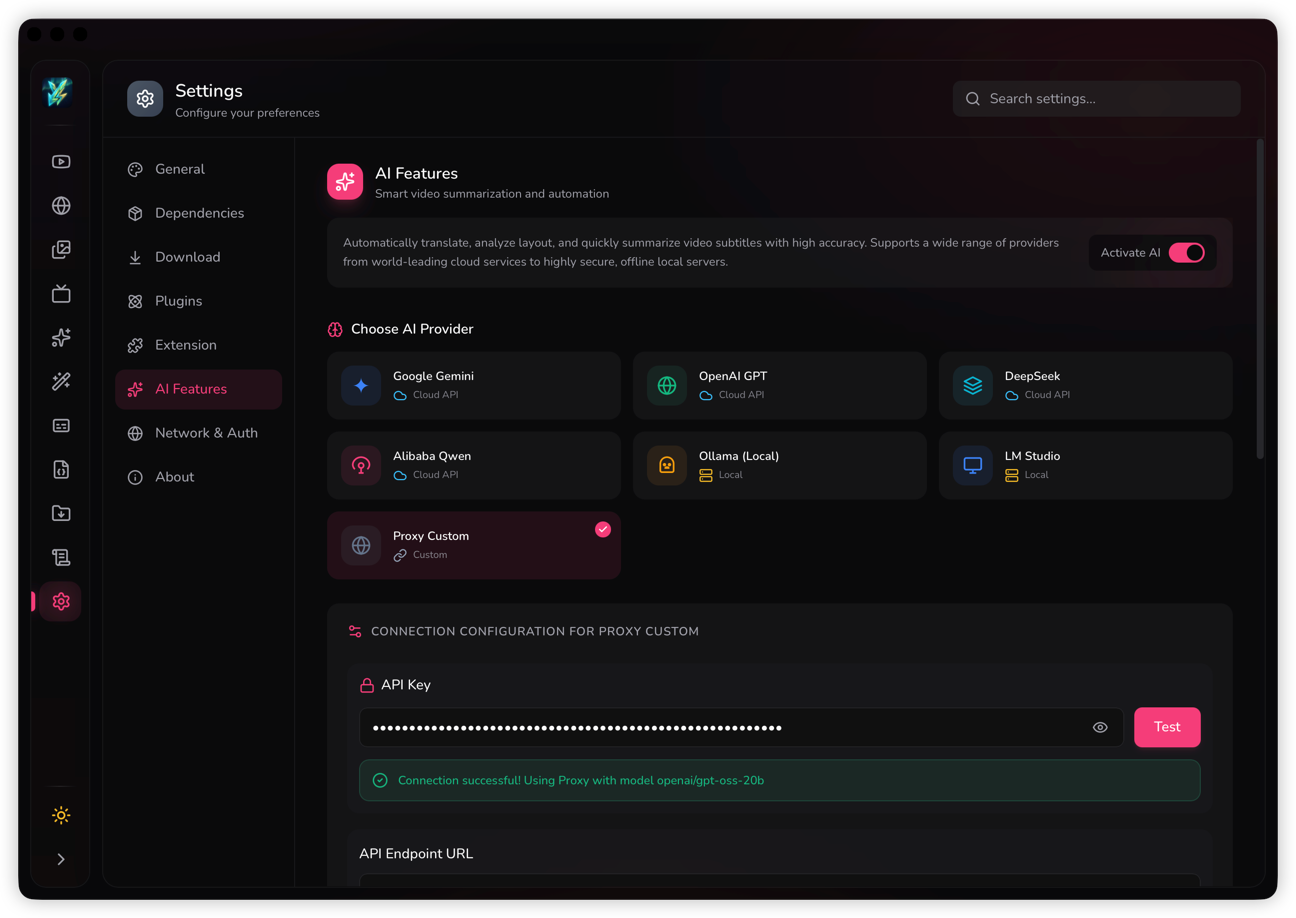
Choose a provider that matches how you want to work
The first decision is whether you want a local setup, a custom proxy, or a normal cloud provider. For most users in this docs set, the two simplest paths are still Ollama (Local) and Proxy Custom.
Ollama (Local)
- Use this when you want AI to stay on your own machine.
- Set the local endpoint, then pick a model that already exists in your Ollama runtime.
- This is the better choice when privacy matters more than speed or cloud model variety.
Proxy Custom
- Use this when you already have an OpenAI-compatible proxy or gateway.
- Enter the proxy URL, API key, and the model name your proxy expects.
- This is useful when your team routes requests through one controlled endpoint.
Set your summary defaults once
The summary options here become the starting point for AI Summary. Set them once so you do not have to reconfigure the same preferences every time you summarize a video.
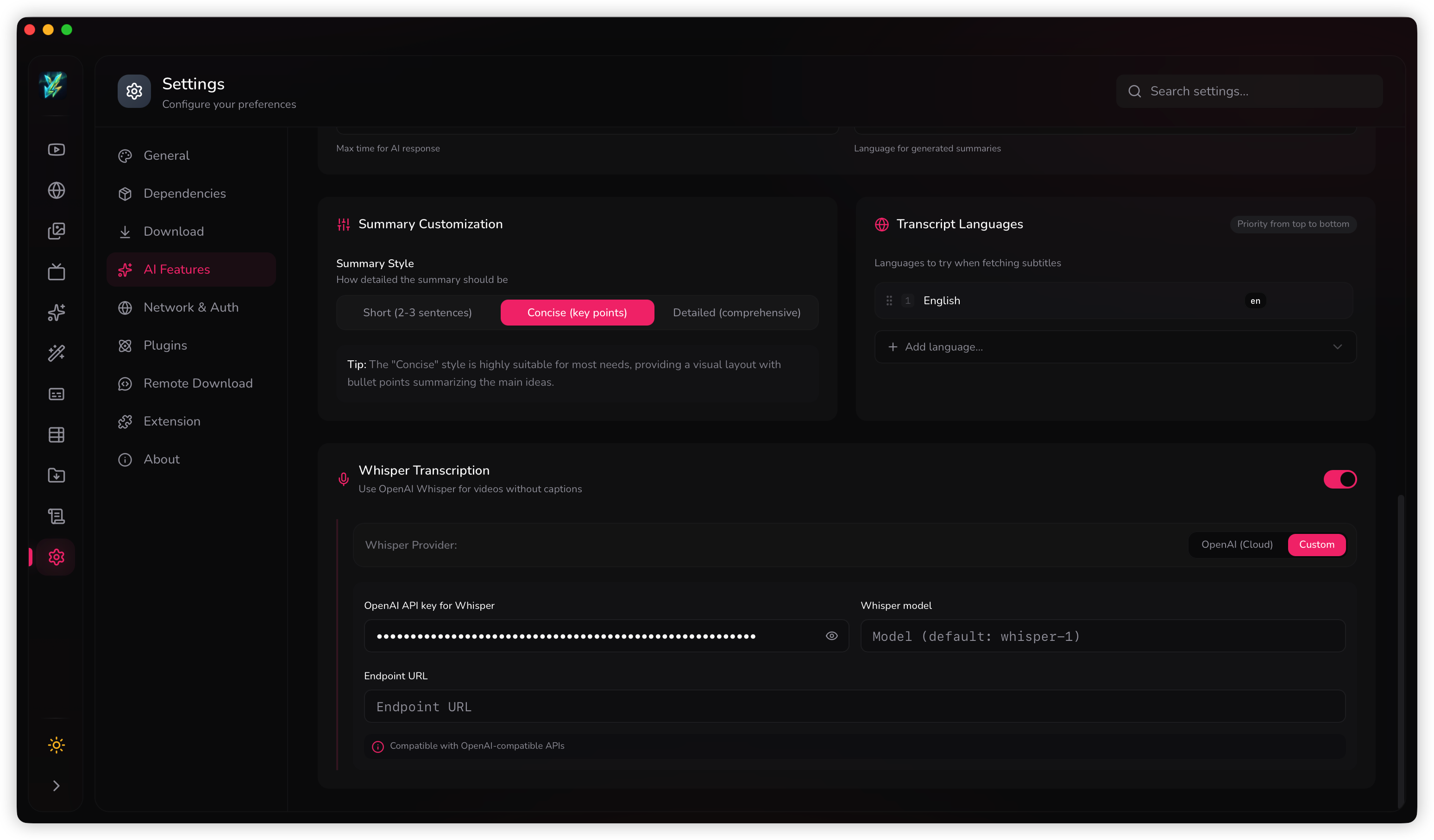
What to set here
- Summary style: short, concise, or detailed.
- Output language: auto or a fixed language.
- Timeout: increase it if your provider or model is slow.
Put transcript languages in the right order
Transcript language priority matters because Youwee tries these languages in order when it looks for subtitles or transcripts. Put the language you want most at the top so the app finds the best match first.
This is especially important when a video has multiple subtitle tracks, or when you usually work across two or three languages.
A practical way to use it
- Keep your main working language first.
- Put fallback languages below it.
- Remove languages you never use so transcript lookup stays predictable.
Turn on Whisper only when you need transcript fallback
Whisper is useful when a video does not already have usable subtitles. When it is enabled, Youwee can generate a transcript instead of stopping at “no captions available”.
If you use OpenAI for Whisper, add the API key. If you use a custom Whisper-compatible endpoint, fill in the endpoint URL and model as well.
When this setting helps most
- Videos without official subtitles.
- Subtitle workflows where you want a draft transcript first.
- AI Summary runs that would otherwise fail because no transcript was found.