Quick Start
Learn the basics of Youwee. From pasting a URL to managing your high-quality downloads and external dependencies.
1. Your First Download
Downloading videos with Youwee is designed to be as simple as possible while giving you full control over the output.
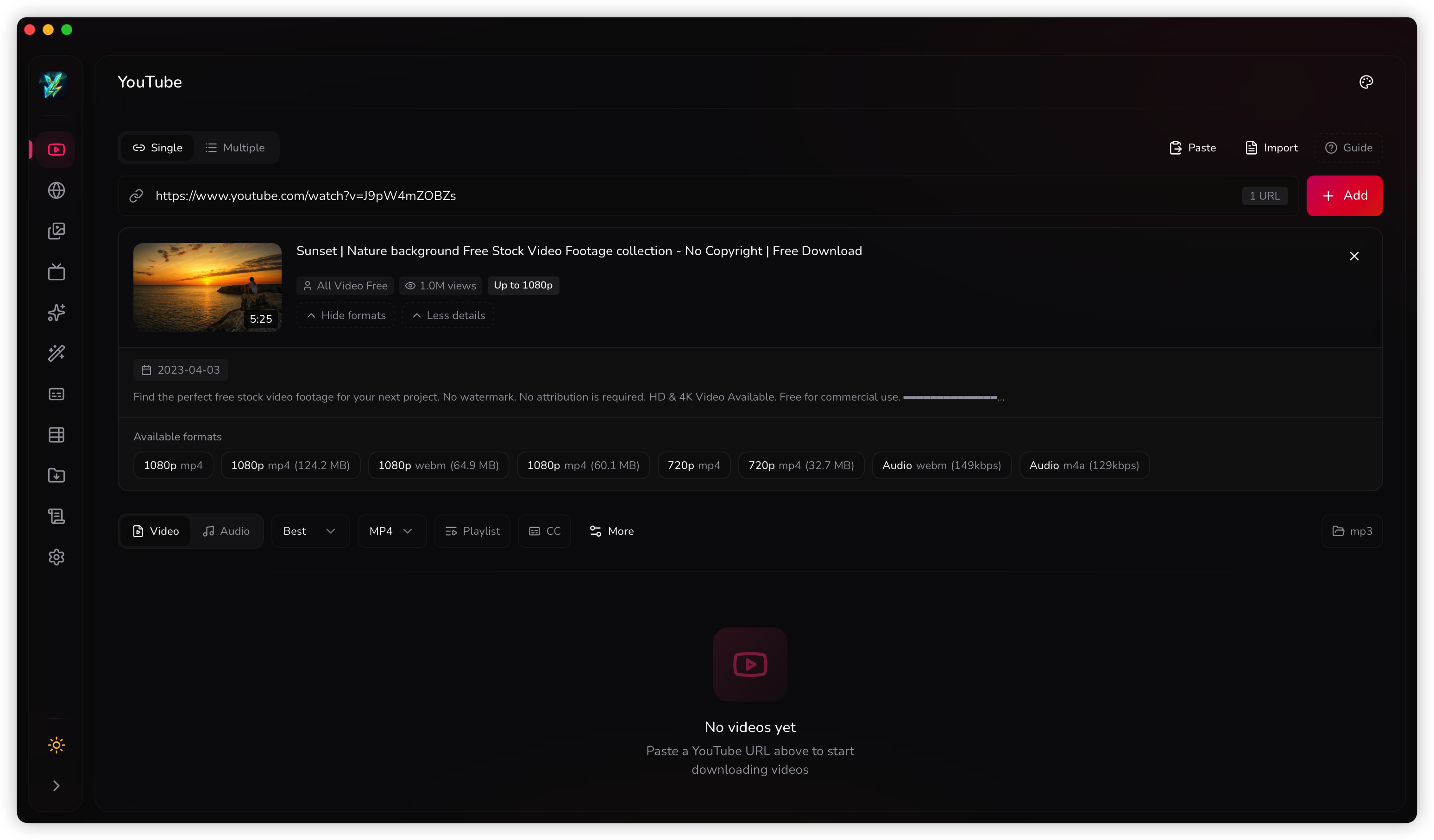
Paste the URL
Copy a link from YouTube (or any supported site) and paste it into the main search bar. Youwee will automatically fetch the video info, title, and thumbnail.
Choose Quality
Select your desired format and quality, then decide whether you want video or audio output before adding the job to the queue.
2. High-Resolution & FFmpeg
YouTube stores high-resolution video (like 2K, 4K, and 8K) separately from the audio stream. To download these qualities, Youwee needs to merge the streams together using FFmpeg.
Automatic FFmpeg Setup
Don't worry about manual installations! Youwee handles FFmpeg automatically. If you try to download a 2K+ video without it, Youwee will prompt you to install it right within the app. You can always verify its status in Settings > Dependencies.
3. Age-Restricted Videos & Deno
Some videos are protected by age restrictions or complex bot-protection scripts. To solve video extraction errors and download these videos, Youwee utilizes Deno (a modern JavaScript runtime).
- Auto-Install: Youwee will automatically download Deno on the first launch.
- Authentication: For private or age-restricted videos, you may also need to enable Browser Cookies in Settings so Youwee can authenticate using your logged-in browser session.
- Troubleshooting: If downloads randomly fail or hang, ensure Deno is correctly installed via Settings > Dependencies.
Recommended fallback path
- Open Settings > Dependencies and confirm Deno is available.
- Enable browser cookies when you need authenticated or age-gated access.
- Retry the URL after the dependency check completes.
4. Managing the Library
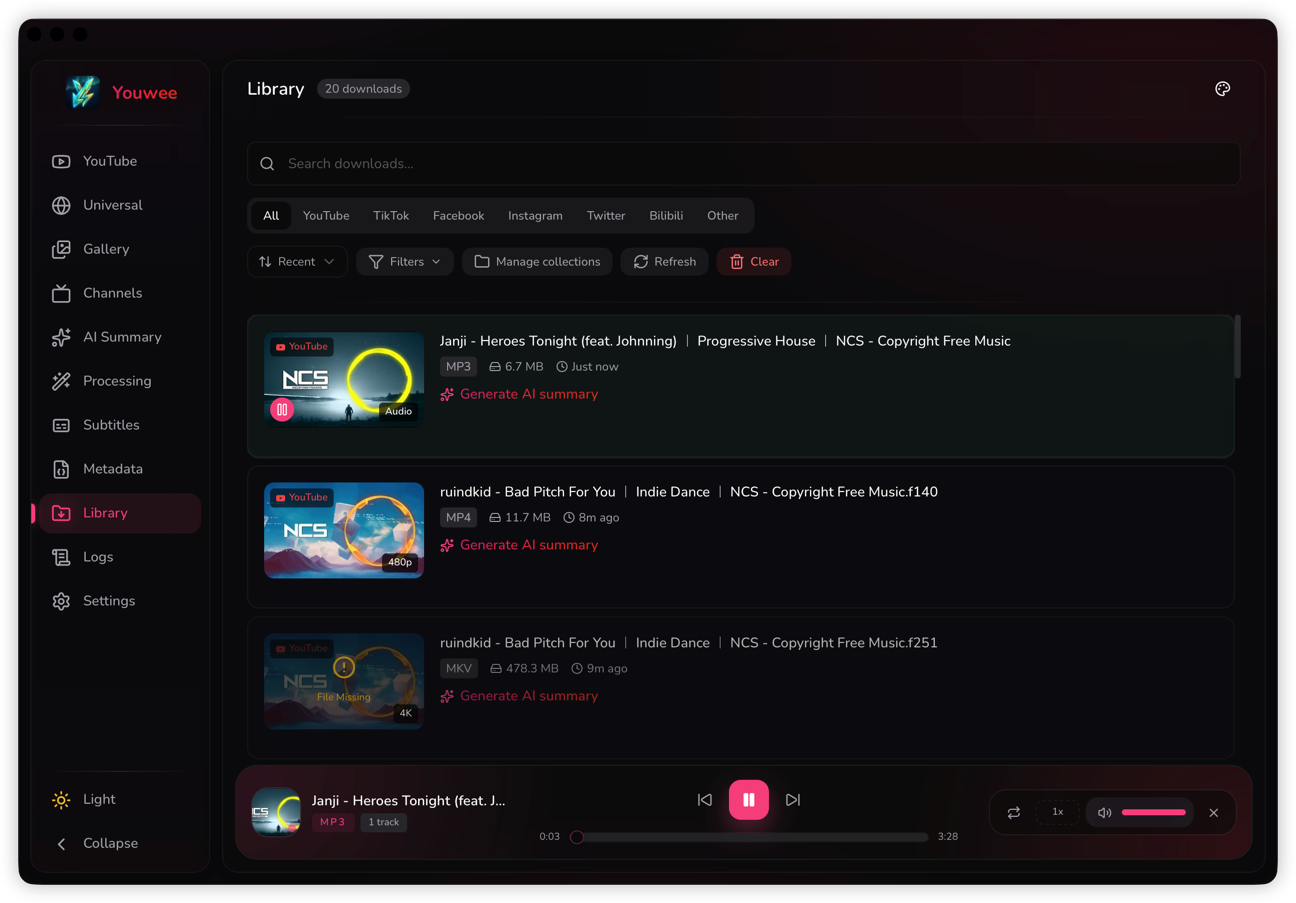
Once your download finishes, it is automatically added to your Library. The Library is a powerful built-in database (SQLite) that tracks all your downloads across all platforms.
- Re-download: Accidentally deleted a file? Click the re-download button in the Library.
- Smart Filtering: Filter your downloads by Source (YouTube, Bilibili, TikTok, etc.), Media Type (Audio/Video), or custom Tags.