
Universal Downloads
Use the Universal workspace for non-YouTube sources, diverse site behavior, and download flows that depend more heavily on auth and cookies.
Cross-site download flow
The Universal page is the fallback and expansion path beyond the dedicated YouTube workspace. It handles supported URLs from platforms such as TikTok, Facebook, Instagram, X, Vimeo, Twitch, SoundCloud, Bilibili, and many more sources covered by yt-dlp.
The queue model stays familiar: paste links, fetch info, set output options, then download or schedule. What changes is the assumption that metadata quality and authentication requirements vary more widely across sources.
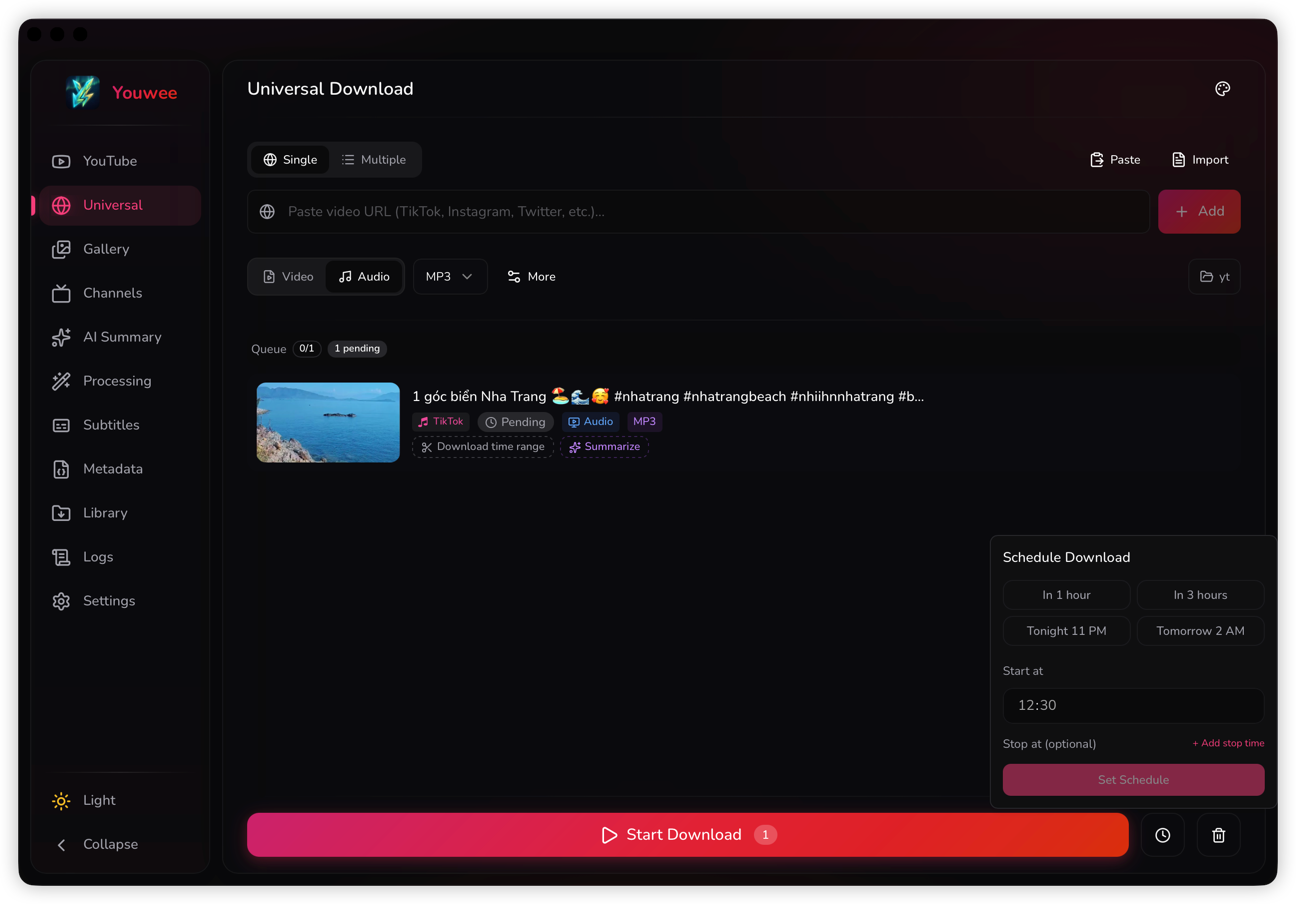
Output controls and queue behavior
- Choose output folder, media quality, format, audio bitrate, concurrent downloads, and live-from-start behavior from the same settings bar.
- Rename completed items or apply a time range per queue item when the site and media shape allow it.
- Use schedules when a job should start later instead of consuming bandwidth immediately.
Cookies, auth, and failure states
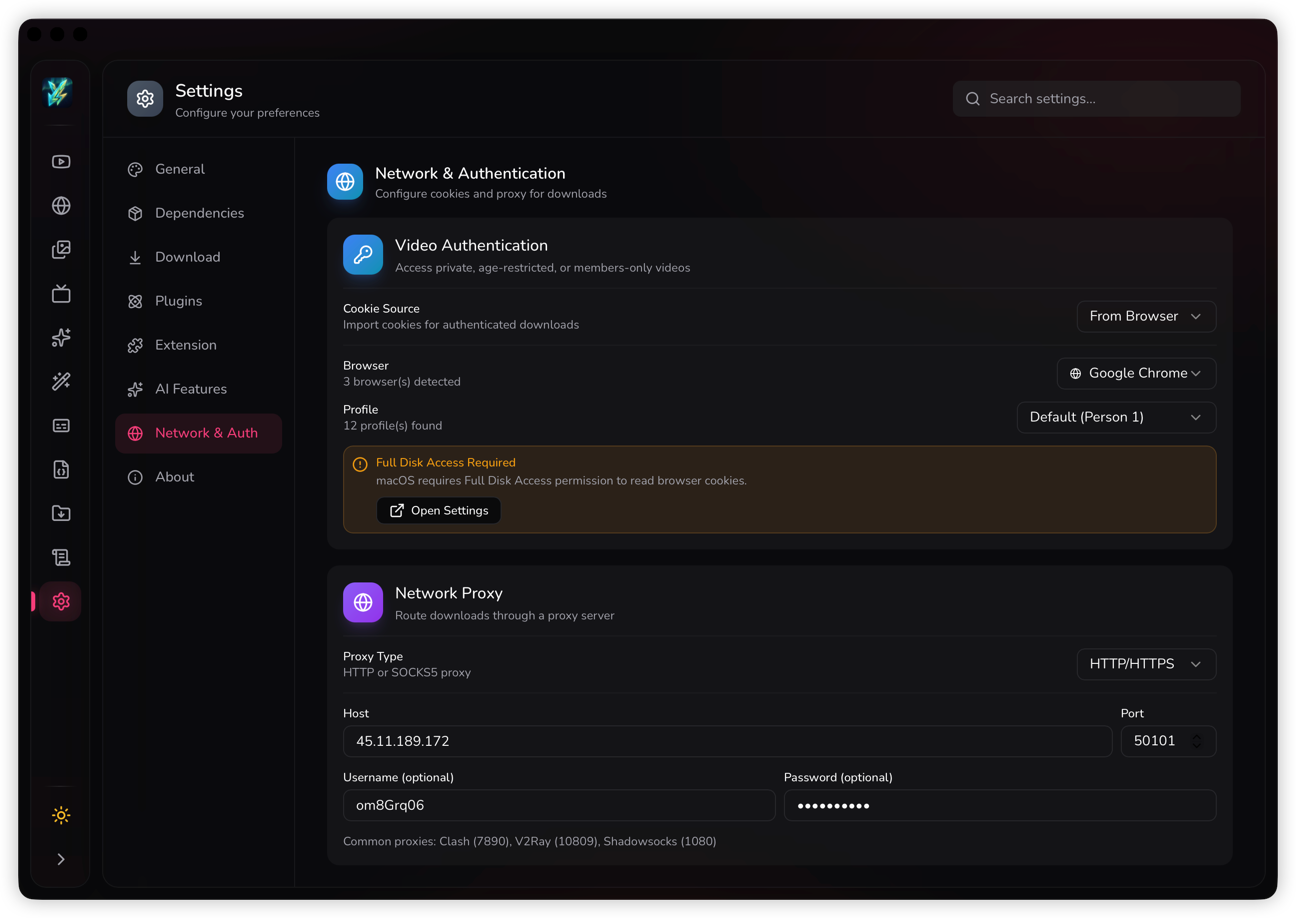
Universal Downloads is where browser cookies and auth modes become most visible. Private, age-gated, or region-constrained pages can require a fresh browser session or an exported cookie file, and the app has dedicated dialogs for those failures.
Live content and delayed starts
The Universal page also carries live-stream support and delayed execution. That matters for event capture, bandwidth planning, and workflows where a URL should be prepared now but actually downloaded later.
The Live from start toggle is available directly in Universal settings for stream-capable sources, so users can capture the event from the beginning instead of only from the current moment.
Output-folder selection is worth setting before a delayed or high-volume run, especially when Universal jobs mix large files from different sites.
Scheduling and queue timing
Universal uses the same schedule popover pattern as the YouTube page: set a future start time, optionally keep the batch pending until later, then use the countdown view and Start Now override if plans change.
- Schedule helps when users want to queue links immediately but defer bandwidth-heavy work.
- The pending badge and countdown state make it clear that the job has been prepared but not started yet.
- This is especially useful for multi-site download batches collected throughout the day.