
AI Summary
Summarize YouTube content without downloading the full video, then save the result for later library and research workflows.
What AI Summary is for
AI Summary is for the moments when you want the takeaway from a video without downloading the full file first. Paste a YouTube URL, let Youwee fetch transcript data, and generate a readable summary you can review, copy, or save.
This works well for research, content triage, long interviews, lectures, podcasts, and any workflow where you want to decide quickly whether a video is worth downloading or processing further.
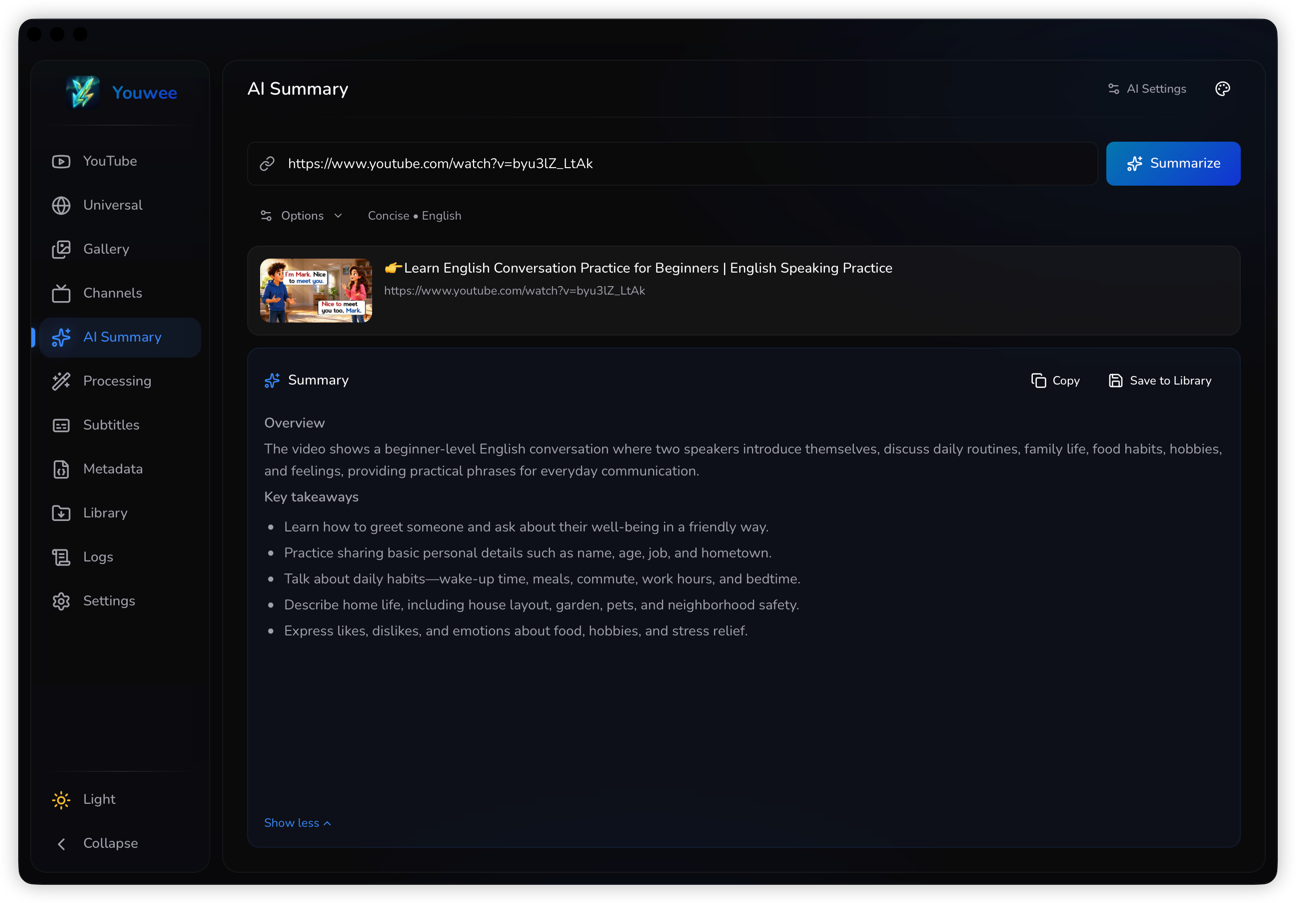
Basic workflow
- Paste a YouTube URL into the AI Summary page.
- Pick a summary style such as Short, Concise, or Detailed.
- Choose the output language, or leave it on Auto if you want the result to follow the source video.
- Run the summary and review the result before deciding whether to save it or continue with a full download.
Set up an AI provider
You only need one provider to get started. For now, the simplest paths to document are one local option and one flexible custom endpoint option:
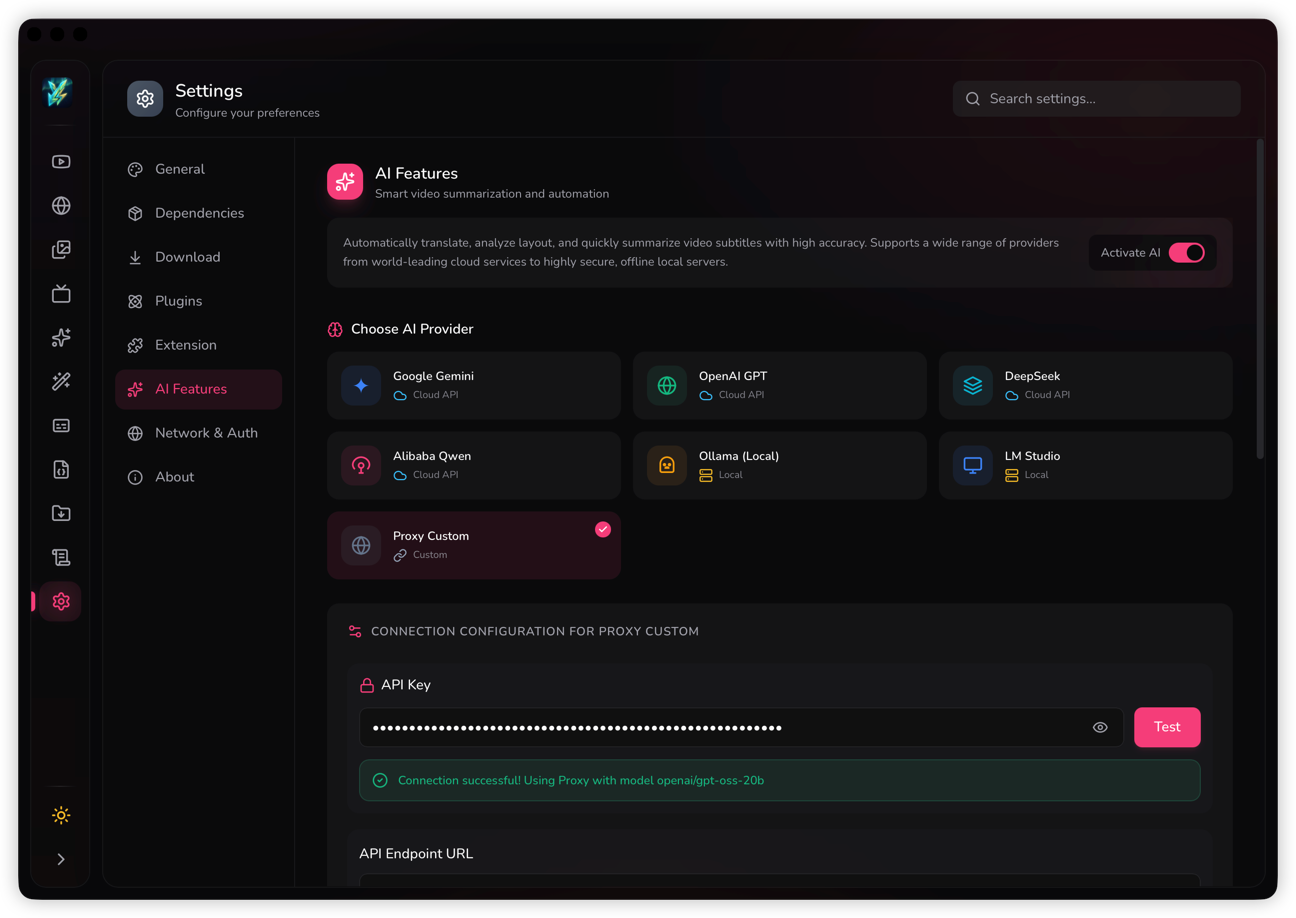
Ollama (Local)
Best if you want a free local setup on your own machine and do not want to depend on a paid cloud API for summaries.
- Start Ollama first and make sure the local server is running.
- In Settings > AI Features, choose Ollama (Local).
- Leave the local URL as default unless your Ollama server uses a different address.
- Pick an available model, test the connection, then go back to AI Summary.
Choose summary style and language
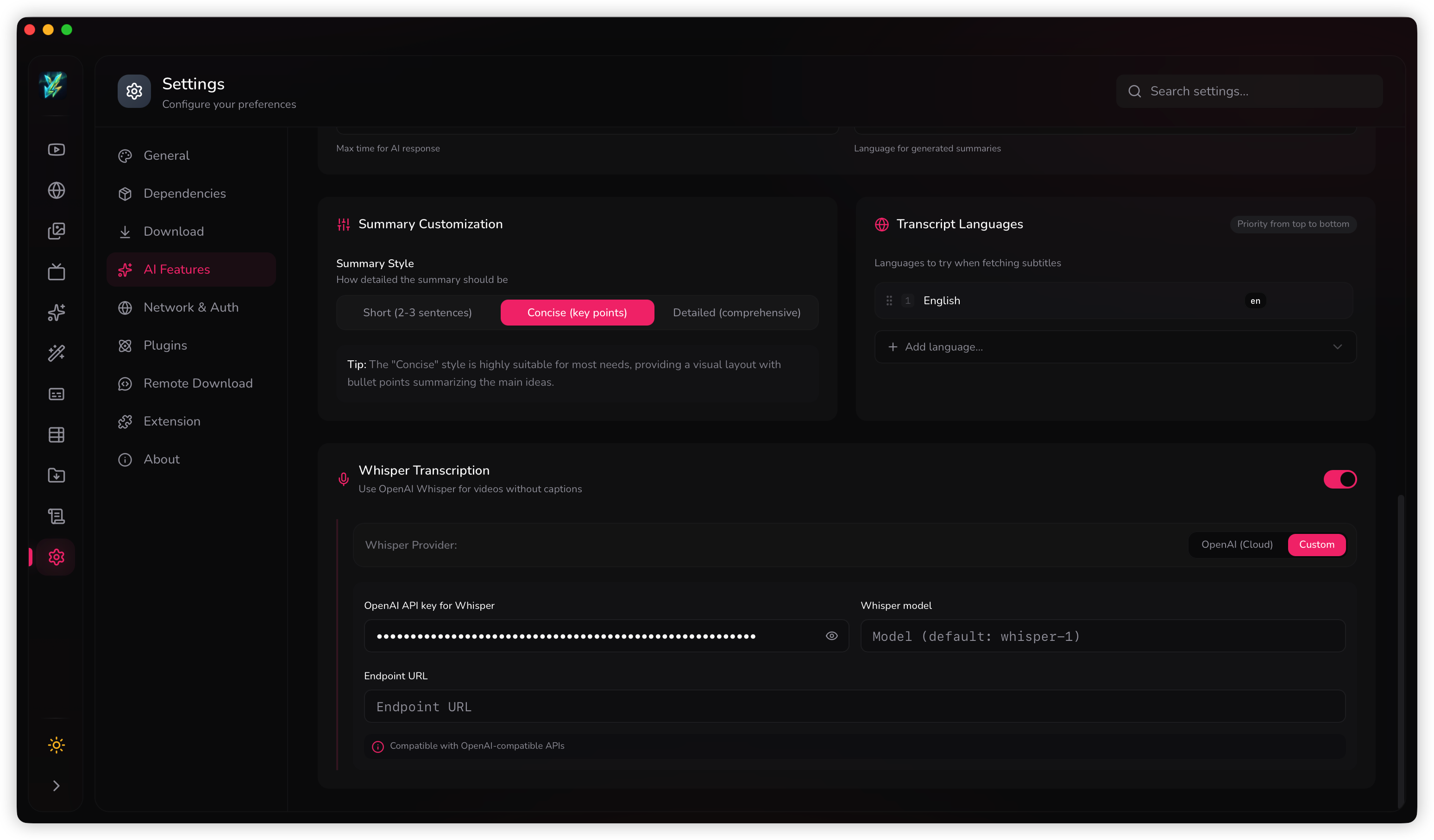
Use Short when you only want the main point, Concise for a balanced summary, and Detailed when the video has many sections or decisions you need to keep.
Output language can follow the video automatically or be forced to a language you prefer to read. Transcript language priority helps when a video offers multiple subtitle tracks and you want Youwee to try them in a specific order.
Save or reuse the result
After the summary is ready, copy it for immediate use or save it into the library so it stays attached to the media record. This is useful when you want to collect notes, review content later, or keep a text-first archive before deciding on a download.