
Library
The library preserves download history as a searchable archive with filters, collections, recovery actions, and plugin-powered follow-up workflows.
Download history as a working library
The Library is more than a finished-jobs list. It acts as a searchable working record of downloads across sources, formats, and workflows, so users can reopen items, review summaries, inspect tags, and trigger follow-up actions from one place.
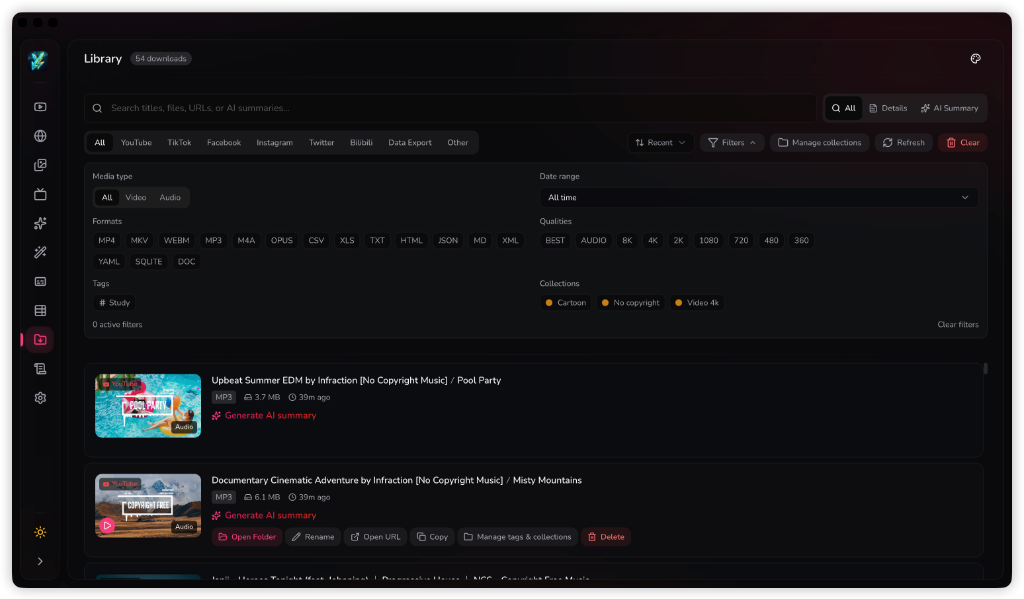
Filters, tags, and collections
The toolbar supports text search, source filters, media type filters, date ranges, format filters, tags, and collections. That matters once users move past a handful of downloads and need a reliable way to slice the archive.
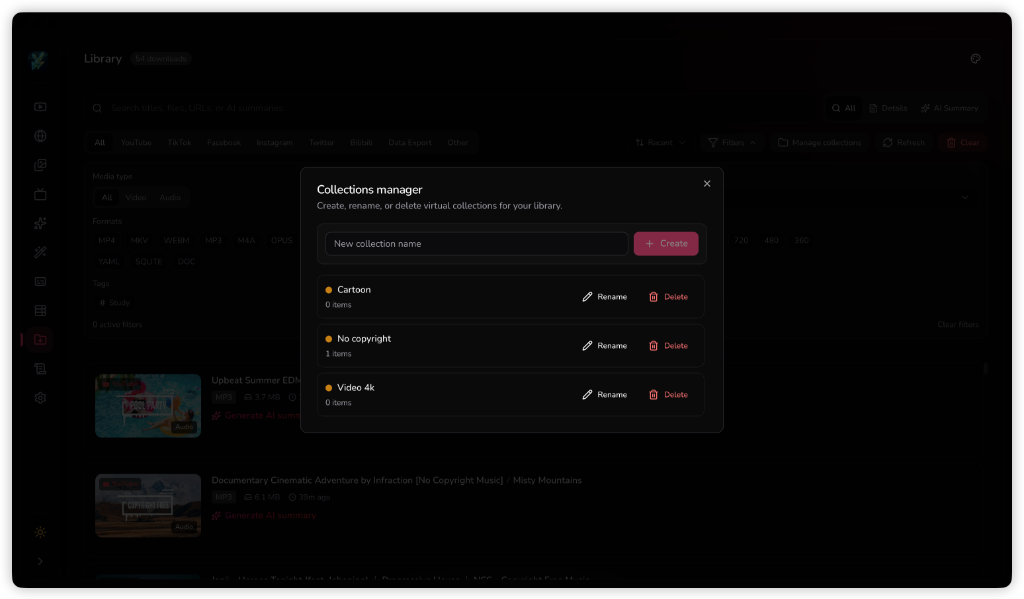
Collections manager
Collections manager allows you to create, rename, or delete virtual collections for your library. Virtual collections help you organize your downloaded items by category (such as Cartoon, No copyright, or Video 4K) without changing their physical file structure.
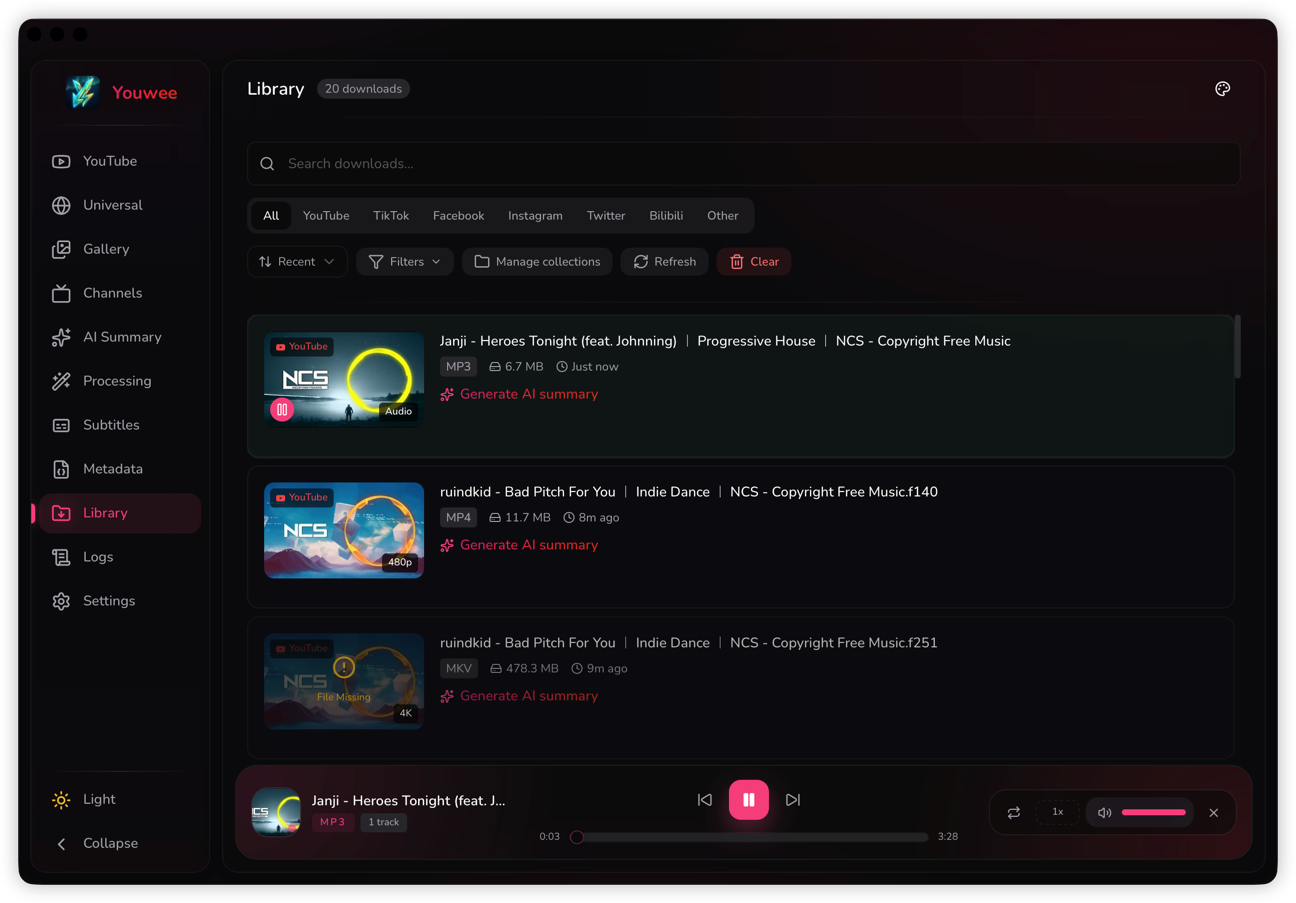
Built-in audio playback
Library is also a convenient place to revisit audio downloads. When an entry is a playable audio item, you can start playback directly inside Youwee instead of opening another music player or file browser first.
This is especially useful when you use Youwee for podcasts, lectures, music, or long-form spoken content and want to quickly preview, resume, or move through saved audio from the same archive screen.
The floating music player can be collapsed into the bottom-right corner and dragged vertically (up and down) along the right edge of the window, providing convenient controls without blocking other features.
Recovery and re-download actions
Library entries keep enough context to support recovery workflows, including cases where the local file has been removed. That makes the page valuable for long-term media management instead of only post-download confirmation.
Plugin actions on history items
The library can also surface plugin-contributed actions in the history.item context. That lets plugins refresh summaries, sync to external systems, or run maintenance actions directly from the record users are already inspecting.