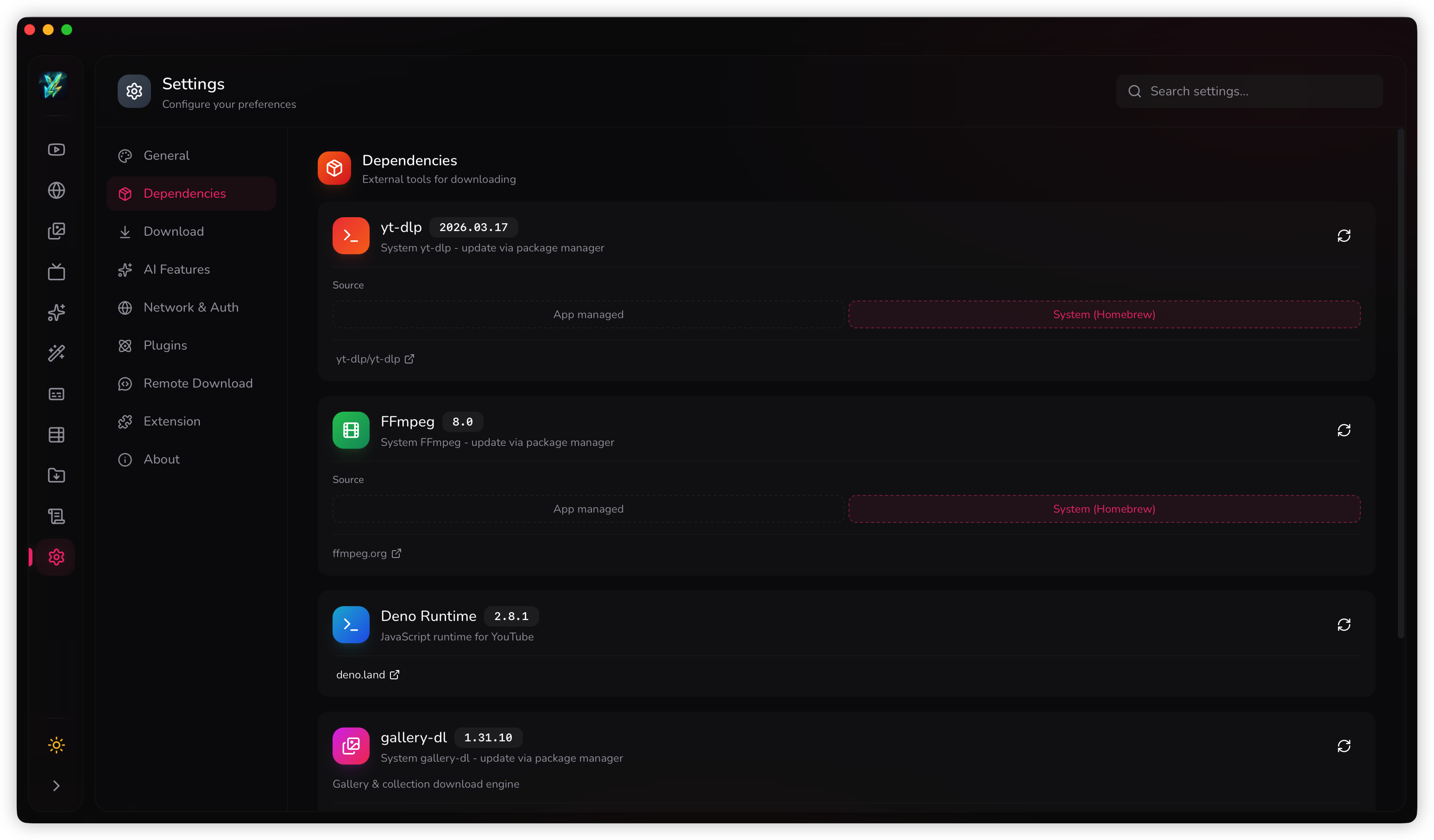
Dependencies
Youwee relies on several powerful open-source CLI tools to perform downloads, media extraction, and video processing. You have full control over how these dependencies are managed.
yt-dlp (YouTube & 1800+ sites)
The core engine for fetching video metadata and streams. Youwee provides four release channels for yt-dlp to balance stability and the latest platform fixes:
Bundled
Shipped securely with Youwee. Reliable fallback if you are offline or updates fail.
Stable (Default)
Automatically downloaded on first launch. Safe and tested official releases.
Nightly
Bleeding-edge builds for emergency fixes when a site's extractor suddenly breaks.
System Source
Uses your OS package manager (Homebrew, APT, PATH). Advanced users only.
FFmpeg (Media Processing)
Required for merging high-resolution videos (2K, 4K, 8K), embedding thumbnails, applying subtitle hardsubs, and AI post-processing workflows.
- Auto-Install: Youwee can automatically download a verified, checksum-matched build of FFmpeg for Windows, macOS (Intel/M-series), and Linux.
- System FFmpeg: You can switch to use the FFmpeg installed on your machine. Youwee will automatically verify your system's PATH.
Deno (JavaScript Runtime)
YouTube often uses complex bot-protection scripts for age-restricted videos and signature decryption. yt-dlp requires a JS runtime to execute these scripts. Youwee bundles support for Deno natively.
On your first launch, Youwee will automatically download a lightweight Deno binary. Without it, some YouTube links might get stuck on "Failed to fetch video info".
gallery-dl (Image Galleries)
Powering the dedicated Gallery workspace, `gallery-dl` handles batch downloading of image sequences from supported sites (Twitter, Pixiv, Pinterest, etc.). It must be installed on your system to work.
System Source Setup Guide (Advanced)
If you prefer to manage `yt-dlp` and `FFmpeg` through your operating system's package manager instead of letting Youwee download them, you can do so. Below are the standard commands for each platform:
Managing Dependencies
You can check the status, update, or change the source of all these dependencies anytime by navigating to Settings > Dependencies inside the application.